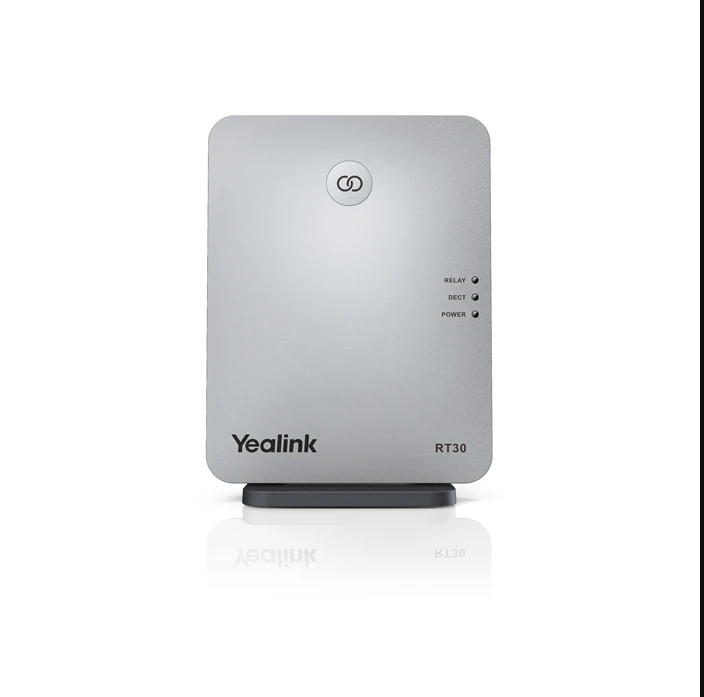
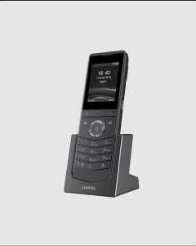
The Yealink DECT repeater RT30, designed in accordance with the Digital Enhanced Cordless Telecommunication (DECT) standard, is characterized by easy installation and a user-friendly display concept. The repeater can be deployed to extend the DECT radio coverage of the Yealink W60B base station significantly in all directions, and when working with W60B, it supports two RT30 units cascaded. Clear LED indicators are used to distinguish different DECT statuses. Its elegant design and easy installation make it well suited for use in modern business environments.
Key Features and Benefits:
- Compatible with DECT CAT-iq 2.0
- Compatible with Yealink W60B/W52 DECT IP Base Station
- Up to 6 repeaters per base station
- Star connection
- Up to 2 repeaters can be arranged in cascade
- Auto association
- HD voice
- Plug & play setup
- Clear status LED display
- Elegant design
- Wall mountable
Specifications:
- General: Standards DECT CAT-iq 2.0; extends DECT coverage; supports automatic handover of calls between RT30 units; up to 2 simultaneous calls per repeater; up to 6 repeaters per base station; up to 2 repeaters can be arranged in cascade (only when connected to W60B); auto association; base link reset
- LED Display: LED 1 Power On; LED 2 DECT Link; LED 3 Active Relay
- Compatible with Yealink W60B (version 77.81.0.35 or later); compatible with Yealink W52 Base Station (version 25.81.0.10 or later)
- Frequency/Coverage: Indoor range up to 50m (ideal conditions); outdoor range up to 300m (clear view and ideal conditions); 2 internal QWL omnidirectional antennas; modulation GFSK; radio frequency range 1880-1900 MHz (EU), 1920-1930 MHz (US); transmission power average 10mW; RX sensitivity typ. -91dBm
- Physical Features: Desktop or wall mountable; power supply AC 100-240V input, DC 5V/600mA output; dimensions (WxHxT) 130 x 100 x 25.1mm
In the box:
- RT30
- USB Cable
- Power Adapter
- User Guide